Why baked-in text beats platform text
Platform text is rented. Instagram stickers, TikTok captions, whatever overlay an app floats above your clip: those words live in the app's database, so the first time your GIF gets saved and reposted, they evaporate and the punchline ships without its setup. Anyone who has watched their joke circulate captionless knows the specific sting.
Burned-in text is owned. What the GIF renders your captions into the frames during encoding, so the words are literally pixels and go wherever the pixels go: Slack, a README, a group chat, an email. Same GIF, same words, everywhere, forever. Bring any video the browser can play (mp4, mov, webm, avi, mkv, m4v) and the whole operation runs inside the tab. A GIF that's already circulating works too: load it, caption it, and let it re-encode with the words made permanent.
Meme style and clean style
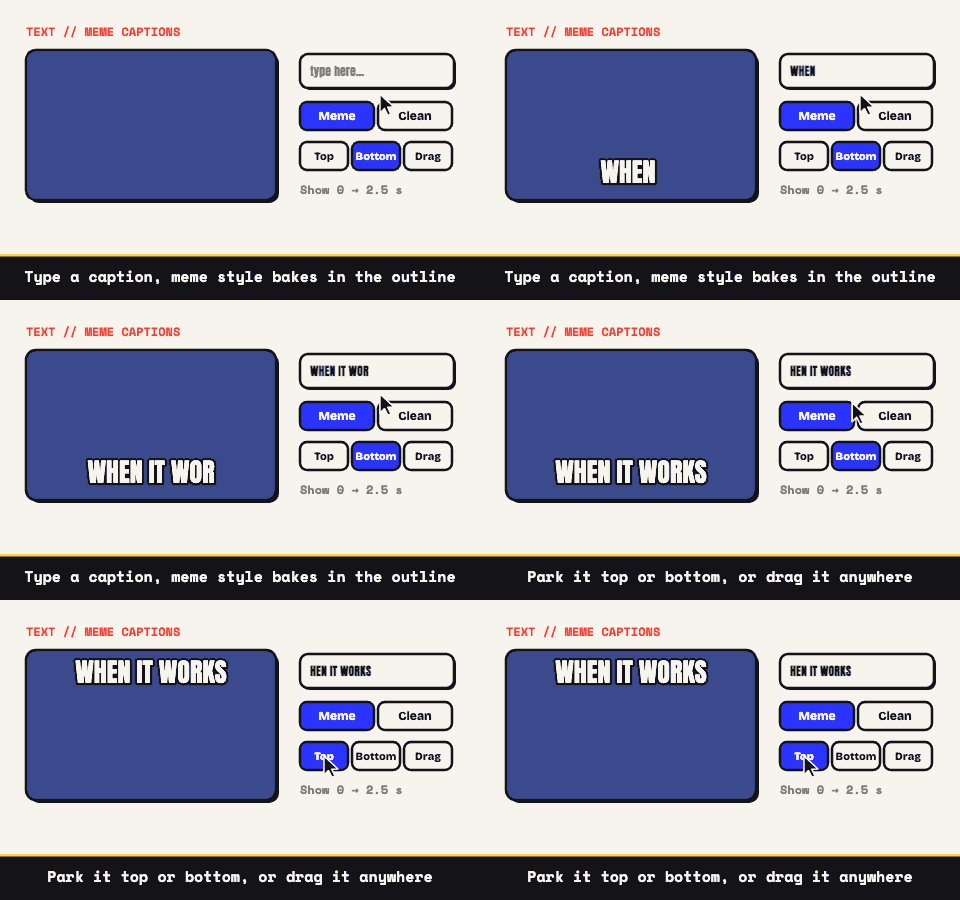
Each GIF carries up to three captions, and each caption chooses its own look. Meme style is the internet's house font: Impact-style letterforms, white fill, heavy black outline, automatic uppercase, wrapping itself when the line runs long. Twenty years of reposts proved that combination readable over any footage, which is why it's the default for jokes. The video meme generator page leans all the way into that use.
Clean style is for the GIFs that go in front of clients: the brand-style font plus a color picker, so a label on a product demo can match the product. Position either style at the top, the bottom, or drag it to any spot on the preview.
Timing turns captions into writing
Every caption takes an optional window: visible from one second of the GIF to another. Skip the window and the line holds for the full loop, which is the safe default. Set windows and you're suddenly pacing a bit: the setup lands first, the reaction line arrives on the reaction, the tag shows up just before the loop resets. Three timed lines is a complete joke structure.
Windows work across cuts, too. Chain as many as ten clips into a single GIF (per-clip trim and crop survive the join; the cuts themselves are hard) and a caption can run straight over the seam, which is how a setup-in-clip-one, payoff-in-clip-two format happens in a single file. The combining guide handles the sequencing half of that trick.
Keep the type alive through compression
Compression eats small text first, so give your captions structural advantages. Short lines survive; five or six words beats a sentence. Meme style is nearly indestructible, since white letters on a black outline hold their edge even on a starved palette. Clean style in a subtle color needs contrast thinking: pick against the background, not against your brand book. A quick test that never fails: shrink the preview to the size the GIF will actually appear at, and if you squint to read it, so will everyone else.
- 12 to 15 fps reads perfectly for text; extra frames add weight, not legibility.
- Stay around 480 to 640 pixels wide. Type that was crisp at 640 becomes lint at 320.
- Crop to the ratio the destination wants (1:1, 9:16, 4:5, 4:3, or 16:9) so the caption isn't floating in dead margin.
- Let the size projection guide the color and dithering choices; chat apps are happiest under roughly 2 MB.
A stubborn file has a fix-list, in order, on the small-GIF page.
The words never leave either
Every stage, decode to caption to encode, runs inside your tab. The clip stays on your machine and so does whatever you typed over it, which is worth something when the caption names a coworker or labels a confidential build. After the first load the page will even run without a connection, since there's no server participating in any of it.
And the boring parts are boring in the right direction: free with ads paying for it, no account, no watermark, and no ceiling imposed by someone else's infrastructure. Type the line, time the beat, download the file.