The joke goes on the clip, not into a queue
Memes have a half-life. The usual pipeline (upload the clip, wait for a server, download something watermarked) spends it. Here the clip never goes anywhere: drag an mp4, mov, webm, or anything else your browser plays into the tool, type the caption straight onto the preview, and export the GIF while the group chat is still typing. If the moment already circulates as a GIF, drag that in instead; it opens as a clip and takes a caption just the same. The footage stays local through every step, which also means your less defensible material remains between you and your conscience.
No toll booths on the way out either: no signup, no watermark, no paid export tier. Ads on the page, and that's the whole business model, so you skip the meme-site rite of passage where the download screen tries to sell you a pro plan before handing over your own joke. The scope is honest too: text captions and clip sequencing, done properly, which happens to cover a remarkable share of every meme you've ever forwarded.
Impact, the typeface with tenure
Meme style is the classic set: white fill, black outline, uppercase, auto-wrapping before the line escapes the frame. Twenty years of internet have proven it readable over any footage: bright, dark, busy, or blurry. Clean style is the other gear, a brand-style font with a color picker, better for deadpan lower-thirds and product snark.
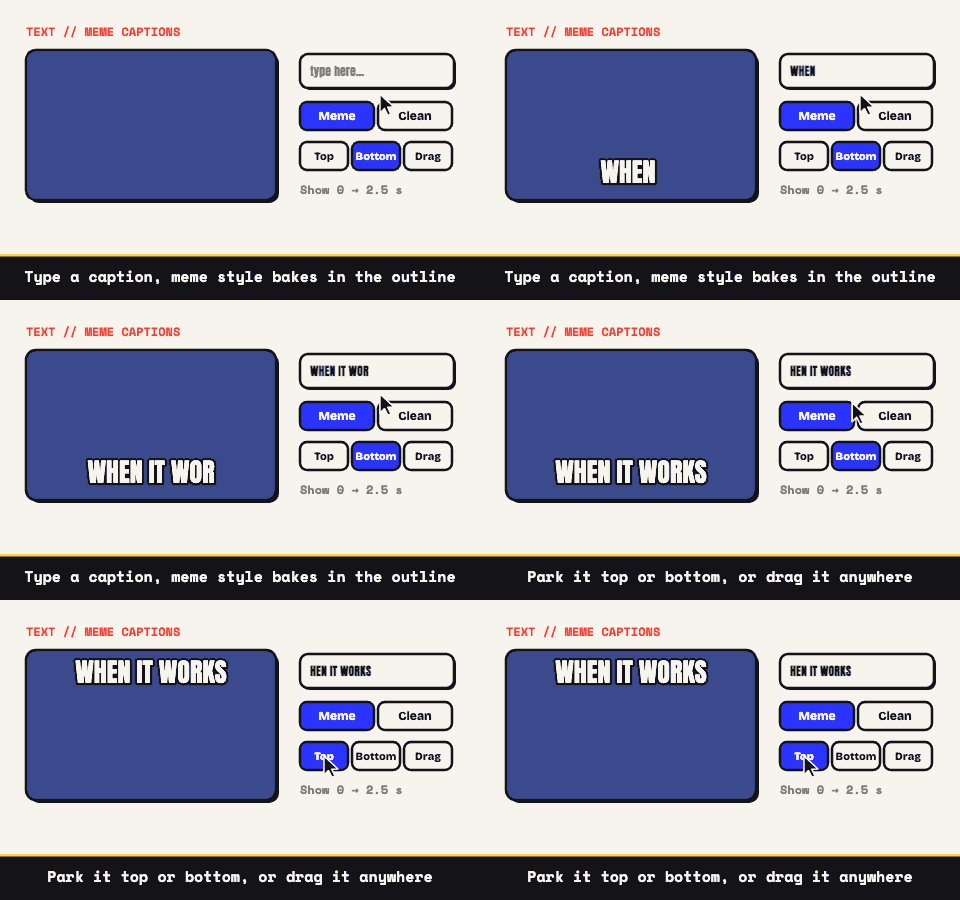
- Three captions maximum, which is one more than most jokes can justify.
- Placement is free-range: top, bottom, or dragged to the exact pixel, like directly over the eyebrows in question.
- Text only, by design. No sticker drawer, no arrow library. If the words aren't funny, clip art won't rescue them.
Timing, the difference between a meme and a screenshot
Each caption takes an optional window: show from 0 to 1.5 seconds, say, and the setup line clears the stage before the reaction lands. Blank timing keeps the line up for the entire loop, which is the correct behavior for a label on a reaction GIF. The window trick also builds the classic three-beat structure: first line early, a beat of silence, second line landing right on the cut.
The trim is frame-accurate, with the arrow keys moving the cut in one-frame increments, so the punchline can arrive on the exact frame the eyebrows move. If the moment plays funnier in reverse, the ⇄ toggle on the clip flips it, and reverse pairs well with timing: caption the forward beat, then let the rewind land uncaptioned. A tight two seconds beats a contextual eight, always.
Expectation, cut, reality
The sturdiest formats are two shots: calm, then chaos; the plan, then the outcome. Sequencing handles that: as many as ten clips can share one GIF, each bringing its own trim and crop, reordered until the rhythm reads, joined by hard cuts, which is the only edit a joke needs.
The frame clip decides the canvas (the first clip by default, or any other via its ⛶ FRAME toggle), and clips that don't match get cropped to fill with the trimmed edges previewed dim, or kept whole inside real letterbox bars if you flip Mismatched Clips to Fit with bars. A caption can span the cut, so one line can sit over both the expectation and the reality.
Small enough to get reposted
A meme that arrives as an attachment link is dead on arrival. Cut to two to four seconds, run 12 to 15 fps, crop square with the ratio lock if it's headed for a feed, and pull the palette to 64 or 128 colors with dithering smoothing the gradients. The size number falls in real time as you work it down toward something Slack and Discord will preview inline instead of collapsing into a sad attachment.
One hard-won warning: don't downscale a captioned GIF into illegibility. The text shrinks with the footage, and an unreadable caption is a decorated rectangle. Hold the width, take the savings from frame rate and colors instead. For captions without the meme energy, the clean-caption side of the tool is the same controls in a quieter register.