What TikTok does with GIFs, tested
Try to post a raw .gif and TikTok's composer shrugs: the upload flow wants video files, and a GIF is not on the guest list. There is no setting that changes this. The GIF-looking stickers inside TikTok's editor come from GIPHY's licensed library, so your own file can't join them from the camera roll either. The comment section is friendlier territory, more on that in a moment.
None of this actually blocks you, because a TikTok already behaves like a GIF: the app loops every video automatically, forever, sound on. So the honest translation of "GIF for TikTok" is a short video that loops cleanly. The loop craft is identical; only the file extension changes at the end.
The comment section is the real GIF turf
The fun lives under the videos. Tap the comment box, hit the emoji icon, and a GIF button opens a searchable picker; the reaction you pick loops right in the thread. Two honest notes: that picker is powered by GIPHY's library, and the button is still rolling out, so if your comment box doesn't show it yet there is no setting to force it, just the wait.
You can't attach your own file from the camera roll as an animated comment. But there is a legitimate door for your own work: GIPHY itself. Upload your loops to a GIPHY channel and get the channel verified (brand and creator channels qualify after a review, with a few original GIFs already up), and they become searchable inside TikTok's comment picker, plus everywhere else GIPHY powers: Instagram, Discord, Slack, most phone keyboards.
For a creative, that is a real distribution play. Make a tight, captioned loop here, keep the file small, and give it search tags on GIPHY that people actually type. The caption tools and the built-in optimizer are made for exactly this kind of small, punchy file.
The loop is the part you control
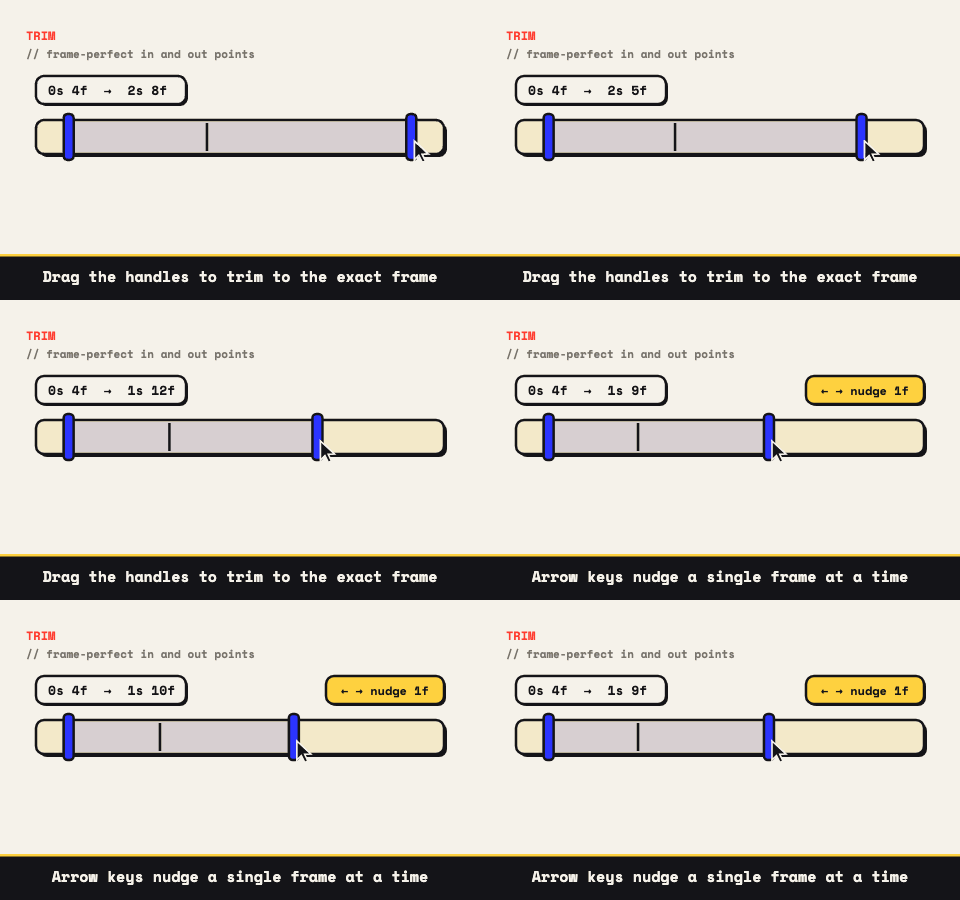
TikTok replays your clip the instant it ends, so the seam between the last frame and the first is on screen every few seconds. A loop reads as intentional when those frames flow into each other, and as a stumble when they don't. Load your clip into the converter and walk the trim handles a frame at a time until the join disappears; the handles snap to real frames, which is exactly the precision this needs.
Two tricks earn their keep here. Bounce plays the clip forward then straight back, which makes any motion loop perfectly with zero trimming, the boomerang look TikTok knows well. And meme-style captions burn into the pixels themselves, so the text survives every re-encode the app throws at it.
Crop it vertical before the app does it for you
TikTok is a 9:16 screen. Hand it anything else and the app letterboxes or crops on its own terms, usually the wrong ones. The crop tool here is ratio-locked, so take the 9:16 preset, frame the action yourself, and arrive with the geometry already decided.
- Shape: 9:16, cropped by you, not by the upload screen.
- Length: two to six seconds loops best; TikTok's replay does the rest.
- Motion: one clear action beats three competing ones at feed speed.
Export MP4 for the feed, GIF for the chat
For posting, export silent MP4: H.264, plays everywhere, uploads clean. The silence is not a defect for TikTok, it's the workflow: sound gets added inside the app, where trending audio lives and where TikTok wants you to pick it. A muted upload with in-app audio layered on is the most normal TikTok there is.
The same edit exports as a GIF when the destination is chat instead: Slack, Discord, a group thread, places that autoplay a GIF but make video an attachment. One edit, two wrappers, and the GIF to MP4 page covers the reverse trip if you're starting from a GIF you already have.
Turning a TikTok into a GIF
Going the other way, a clip of yours that lives on TikTok makes a fine reaction GIF for chat. Convert from the original footage on your camera roll if you still have it: the posted version has been re-compressed once and stamped with a watermark, and the original has been neither. TikTok's own share menu also offers a built-in GIF export for some videos, which works but carries the app's logo by design.
The usual honesty applies to everyone else's videos: someone made that clip, and TikTok's terms plus copyright law both have opinions. Convert your own work, or clips you have actual rights to, and the whole question stays boring. Everything here runs in the browser tab either way; the clip never uploads to this site or anywhere else.